
 +91 7044535163



CRM Automation for Small Businesses Save Time & Boost Sales
26th Mar, 2026
6 min read
You started your business to do the work you love not to spend half your week sending the same follow-up emails, updating spreadsheets, and chasing leads who went quiet. Yet somehow, that’s exactly where the hours go.
CRM automation for small businesses is the answer to that problem. It handles the repetitive, time-consuming tasks in the background so your team can focus on what actually moves the needle building relationships and closing deals.
In this guide, we break down exactly what CRM automation is, why it matters, how to implement it step by step, and what to watch out for along the way.
What Is CRM Automation, Really?
A CRM (Customer Relationship Management) system is where all your customer and lead information lives contact details, conversation history, deal stages, and notes. Think of it as the single source of truth for every person who has ever interacted with your business.
CRM automation takes that a step further. Instead of manually logging calls, sending emails, or assigning leads, the system does it automatically based on rules you set. When a new lead fills out your contact form, the CRM can instantly assign them to a sales rep, fire off a welcome email, and schedule a follow-up reminder all without anyone touching a keyboard.
The difference is simple: a basic CRM stores information. An automated CRM acts on it.
Why Small Businesses Can’t Afford to Ignore This Anymore
The numbers tell a clear story. According to recent research, CRM software revenue is projected to reach $98.84 billion by 2025 and that growth is being driven largely by small and mid-sized businesses finally making the switch from spreadsheets to smart systems.
More importantly, customers today expect fast, personalized responses. Research shows that businesses who contact a prospect within the first five minutes are dramatically more likely to connect than those who wait even half an hour. Manual processes simply cannot move that fast, especially with a small team.
CRM automation bridges that gap. It responds instantly, follows up consistently, and makes sure nothing falls through the cracks even when your team is heads down in other work.
What CRM Automation Actually Handles Day to Day
If you’re wondering what kinds of tasks a CRM can actually take off your plate, here’s a practical look at the workflows small businesses rely on most.
Lead Capture and Assignment
The moment a new lead arrives from your website form, a social media ad, or an email campaign the CRM captures their details and assigns them to the right team member automatically. No manual sorting, no leads sitting unattended over a weekend.
Follow-Up Sequences
Once a lead enters your pipeline, a series of personalized emails go out at pre-set intervals. Day one, they get a warm introduction. On day four, something educational & on day seven, a clear next step. All of it runs without anyone scheduling or writing those emails from scratch each time.
Deal Stage Tracking
As conversations progress, the CRM moves deals through your pipeline based on activity a booked demo advances a lead to one stage, an opened proposal moves them to the next. Your pipeline becomes a live, accurate reflection of reality instead of something you have to manually update after every call.
Re-engagement Campaigns
Leads who go quiet don’t have to stay gone. If a contact hasn’t responded in a set number of days, the CRM automatically sends a re-engagement message. One sales team reported recovering significant lost revenue from deals that would have simply gone dark without this workflow in place.
Reporting Without the Manual Work
Weekly sales reports, lead source analysis, conversion rate tracking all of it gets generated automatically. You get the data you need to make smart decisions without spending Sunday evening pulling numbers from three different spreadsheets.
The Mistakes That Make CRM Automation Go Wrong
Done right, automation saves time and improves customer experience. Done wrong, it creates a different kind of mess. These are the pitfalls most businesses hit.
Over-automating too early is the most common trap. Building a 25-step workflow before you understand your sales cycle creates confusion, not efficiency. Start simple.
Dirty data kills good automation. If your contacts have missing fields, duplicate entries, or outdated information, your automated emails will be impersonal at best and embarrassing at worst. Clean your data before you automate it.
Losing the human touch is a real risk. Customers can tell when every message is templated. The goal is to automate the routine so your team has more time for genuine, meaningful conversations not to replace those conversations entirely.
Need Help Setting It Up? That’s What We Do.
Building and managing CRM automation workflows takes expertise especially when you want them to work seamlessly with your marketing, sales, and customer support processes. That’s where we come in.
Elvira Infotech is an ISO 9001 certified digital solutions company that helps businesses implement CRM automation systems tailored to how they actually operate. We don’t hand you a generic setup and wish you luck. We map your process, build your workflows, integrate your tools, and make sure your team knows how to use everything confidently.
Whether you’re starting from scratch, migrating from a tool that’s outgrown your needs, or looking to add intelligent automation to an existing CRM, our team has the experience to make it work properly from day one.
Ready to stop doing manually what a smart system could handle for you? Get in touch with the Elvira Infotech team and let’s build something that actually works for your business.
Frequently Asked Questions
Q: What is CRM automation for small businesses?
CRM automation means using your customer management system to handle repetitive tasks automatically things like sending follow-up emails, assigning leads, updating deal stages, and generating reports. Instead of doing these tasks manually, you set rules once and the system runs them for you in the background.
Q: How long does it take to set up CRM automation?
A basic setup with three to five automations can be running within a week. More complex workflows with multi-step sequences, lead scoring, and cross-tool integrations typically take two to four weeks, especially if your data needs cleaning first.
Q: Do small businesses really need CRM automation, or is it just for large companies?
CRM automation is arguably more valuable for small businesses than large ones. A big company has a full team to manage follow-ups and data entry. A small team doesn’t. Automation effectively gives a five-person team the operational capacity of a much larger one.
Q: Can CRM automation feel impersonal to customers?
Only if it’s set up poorly. The goal isn’t to replace human interaction it’s to handle the routine so your team has more time for meaningful conversations. Well-written, personalized automated messages actually improve the customer experience because they arrive faster and more consistently than manual follow-ups.
Q: What’s the first automation a small business should set up?
A: Start with a new lead welcome sequence an automatic email that goes out the moment someone fills in your contact form or enquiry page. It’s simple, fast to set up, and immediately improves the speed and consistency of your first impression.
Our Recent Blogs
13th Jul, 2026
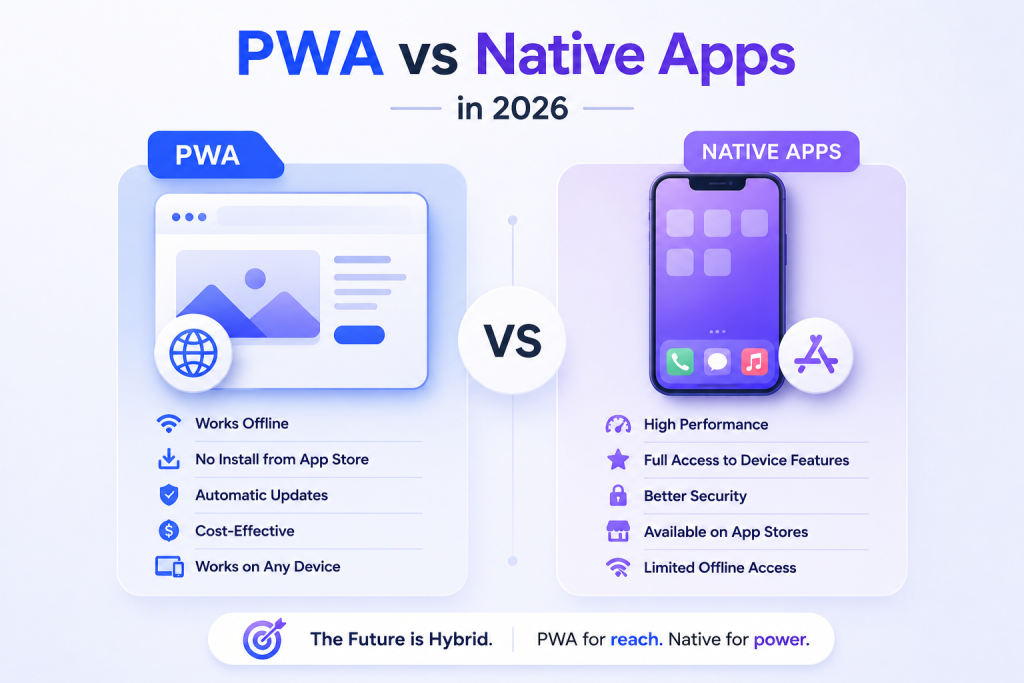
16 min readProgressive Web Apps vs Native Apps: The Complete 2026 Business Decision Guide
Every business thinking about building a digital product faces the same fork in the road: do...

9th Jun, 2026
13 min readGenerative Engine Optimization: What It Is and Why Your Business Needs It in 2026
You’ve invested months into SEO. Your blog ranks on page one. Your backlinks are solid. Yet...

18th May, 2026
14 min readGoogle Ads vs Meta Ads: The 2026 Guide to Smarter Ad Spend for Your Business
Here is a number worth stopping on: businesses waste an estimated 25 cents of every dollar...