
 +91 7044535163



Headless CMS vs WordPress: What’s Really Better for Your Website in 2026?
18th Aug, 2026
13 min read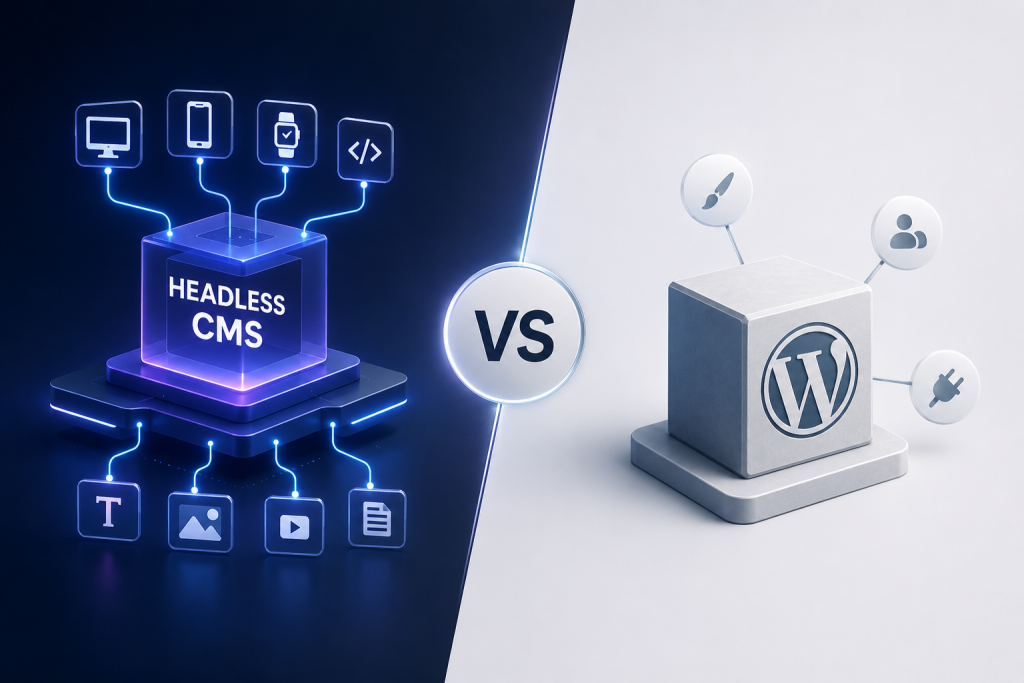
If you’ve spent any time researching website platforms lately, you’ve probably run into the term “headless CMS” more times than you can count. It’s showing up in developer forums, marketing blogs, and even in casual conversations between business owners trying to figure out why their WordPress site suddenly feels… slow, restrictive, or just plain outdated.
So what’s actually going on here? Is WordPress really losing ground, or is this just another tech trend that will fade in a year or two?
Let’s break it down in plain language, without the jargon overload.
What Is a Headless CMS?
Think of a traditional website like a restaurant where the kitchen and the dining room are welded together. You can’t redecorate the dining room without tearing up the kitchen too. That’s basically how a traditional content management system works the part that stores your content (the backend) and the part that displays it to visitors (the frontend) are locked together.
A headless CMS separates these two. It’s just the “kitchen” a content storage and management system that holds your articles, product details, images, and other content, then hands that content off through an API to whatever “dining room” you want to build. That could be a website, a mobile app, a smartwatch, a digital kiosk, or all of them at once.
There’s no built-in theme, no fixed front-end template. Developers build the presentation layer separately, using whatever framework fits the project React, Vue, Next.js, you name it. The CMS just focuses on being a clean, structured content source.
What Is WordPress?
WordPress, on the other hand, is what most people picture when they think “website builder.” It started as a blogging tool back in 2003 and has since grown into the most widely used content platform on the internet. In its traditional form, WordPress bundles the content database, the admin dashboard, and the public-facing theme all into one system.
You install a theme, add some plugins, write your content, and the site is live front end and back end, all in one package. It’s approachable, there’s a massive plugin ecosystem, and just about every web host supports it out of the box.
That simplicity is exactly why WordPress still powers a huge share of websites today, but it’s also where some of its modern limitations start to show up.
How Does a Headless CMS Actually Work?
Here’s the simplified version. Content editors log into the CMS dashboard, just like they would in WordPress, and create or update content. But instead of that content being tied to a specific theme or page builder, it’s stored as structured data think of it as organized building blocks rather than finished pages.
When a website, app, or any other channel needs that content, it sends a request through an API, and the CMS returns exactly the data needed. The frontend developer decides how that data actually looks and behaves on screen. This separation is what gives headless setups their flexibility: the same piece of content can appear on a website, inside a mobile app, and on a digital signage screen, all pulled from a single source.
Headless CMS vs WordPress: A Quick Side-by-Side Look
| Factor | Traditional WordPress | Headless CMS |
|---|---|---|
| Architecture | Frontend and backend combined | Frontend and backend separated |
| Flexibility | Limited to themes and page builders | Any frontend framework, any channel |
| Speed | Depends heavily on plugins and hosting | Typically faster, since frontend is lightweight |
| Security | Larger attack surface due to plugins | Smaller attack surface, backend hidden from public |
| Multi-channel publishing | Difficult without heavy customization | Built for it from the ground up |
| Learning curve | Beginner-friendly | Requires development resources |
| Editorial experience | Very mature, familiar | Varies by platform, sometimes less intuitive |
| Best suited for | Blogs, small business sites, simple stores | Enterprise sites, apps, omnichannel brands |
This table isn’t meant to crown a permanent winner it’s meant to show that the two approaches are built for genuinely different situations.
The Advantages of Headless WordPress
A lot of businesses don’t want to abandon WordPress entirely, especially since their editorial teams already know the dashboard inside and out. That’s where “headless WordPress” comes in using WordPress purely as the content backend while a separate, custom-built frontend handles the display.
This setup keeps the familiar editing experience your content team already loves, while unlocking faster load times and more design freedom on the frontend. It also lets you use WordPress’s massive plugin library for content workflows while your developers build the actual site experience using modern tools. For businesses with an established WordPress team, it’s often a smoother transition than switching to a brand-new platform altogether.
The Disadvantages of Traditional WordPress
Traditional WordPress isn’t without its pain points, and most of them get more noticeable as a site grows.
Plugin dependency is a big one. Many WordPress sites end up running dozens of plugins just to achieve basic functionality, and each one adds potential security vulnerabilities and slows things down. Because the frontend and backend are tied together, publishing the same content across a website, an app, and other digital touchpoints usually means duplicating work or relying on clunky workarounds.
Performance is another common complaint. Heavy themes, unoptimized plugins, and database-driven page rendering can make WordPress sites sluggish, especially on mobile networks. And because it’s such a popular target, WordPress security issues tend to surface fairly often, which means ongoing maintenance isn’t optional it’s a requirement.
The Advantages of a Headless CMS
The appeal of going headless usually comes down to three things: speed, flexibility, and future-readiness.
Since the frontend is built independently, developers can optimize it purely for performance, often resulting in significantly faster load times and better Core Web Vitals scores. Content becomes reusable across every channel your business operates on website, app, voice assistant, even in-store displays without duplicating effort. Security also improves in most cases, since the content backend isn’t directly exposed to visitors the way a traditional CMS admin area is.
There’s also a strong argument for longevity. As new devices and channels emerge, a headless setup can adapt without a full platform rebuild, because the content layer was never tied to one specific frontend in the first place.
The Disadvantages of a Headless CMS
None of this comes for free, though. Headless setups generally require more development involvement upfront. There’s no out-of-the-box theme to install every frontend element needs to be built or customized by a developer, which usually means a longer initial build time and a higher upfront cost.
Content editors sometimes find the experience less intuitive at first, especially if they’re used to seeing a live preview of exactly how a page will look while they’re writing. Some headless platforms have improved this with visual editors, but it’s not universal. And because the system relies on APIs and separate hosting for the frontend, the overall technical setup has more moving parts to manage and monitor.
Which Is Better for SEO: Headless CMS or WordPress?
This is one of the most common questions business owners ask, and the honest answer is: it depends on execution, not just the platform.
Headless setups have a natural advantage in one area page speed. Since the frontend is lightweight and not weighed down by plugin bloat, sites often load faster, which is a known ranking factor and a major driver of user experience. Faster pages also tend to reduce bounce rates, which indirectly supports better rankings.
That said, WordPress isn’t automatically bad for SEO. With well-established plugins for meta tags, sitemaps, and schema markup, plus years of documentation and community knowledge, a well-optimized WordPress site can absolutely compete. The real SEO risk with WordPress shows up when sites are overloaded with plugins and themes that were never properly optimized.
So the more accurate takeaway is this: headless architecture gives you a technical performance advantage from the start, but SEO success on either platform still comes down to solid technical implementation, clean code, and proper on-page optimization.
Performance Comparison: Headless CMS vs. Headless WordPress
When comparing a fully headless CMS to a “headless WordPress” setup (WordPress as backend, custom frontend), the performance gap narrows quite a bit, since both approaches decouple the frontend.
The biggest difference usually comes down to how the backend itself is built. A CMS designed from the ground up to be API-first tends to deliver content more efficiently and scales more predictably under heavy content loads. WordPress, even when used headlessly, still carries some of its original database structure and plugin dependencies, which can introduce overhead that a purpose-built headless platform doesn’t have.
In practice, both setups outperform traditional, fully-coupled WordPress sites by a wide margin. The choice between the two often comes down to whether your team wants to keep the familiar WordPress editing experience or move to a platform built specifically for headless delivery.
Headless CMS and Content Modeling
One concept that trips people up when they first move to a headless system is content modeling. Instead of writing a “page” the way you would in WordPress, you define structured content types say, a “Product” with fields for name, price, description, and images, or an “Article” with fields for title, author, and body text.
This structure is what makes content reusable across channels. Once a content model is set up correctly, that same “Product” entry can power a product page on the website, a listing in a mobile app, and a card in a marketing email, all without re-entering the same information three times.
Getting content modeling right early on matters a lot, since restructuring it later can be more involved than just editing a page in WordPress.
How a Headless CMS Enables Omnichannel Publishing
Omnichannel publishing is really the whole point of going headless. Because content is stored independently from any single frontend, it can be pushed out to a website, a native app, smart devices, digital kiosks, or even voice assistants, all from one central content hub.
For a retail brand, that might mean updating a product description once and having it instantly reflected on the website, the app, and in-store digital displays. For a media company, it could mean publishing an article that automatically feeds a website, a newsletter template, and a partner syndication feed. This is genuinely difficult to pull off with a traditional, tightly-coupled CMS, and it’s one of the strongest business cases for making the switch.
Headless CMS vs Content Platforms
It’s worth clearing up some confusion here. A headless CMS is focused specifically on structured content storing it, organizing it, and delivering it via API. A broader content platform, sometimes marketed as a digital experience platform, typically bundles a headless CMS together with additional tools like personalization engines, analytics, marketing automation, and e-commerce integrations, all working from the same content layer.
In other words, a headless CMS is a component, while a content platform is a wider ecosystem built around that component. Whether a business needs just the CMS or the full platform depends largely on how complex their digital experience requirements actually are.
Headless CMS or Headless WordPress: Which Is Better for Your Business?
This decision really comes down to where your business is right now and where it’s headed.
If your team is small, your content needs are relatively simple, and you’re not planning to publish across multiple digital channels anytime soon, a well-optimized traditional or headless WordPress setup might genuinely be enough. It’s familiar, cost-effective to start with, and there’s no shortage of talent who know how to work with it.
On the other hand, if your business is scaling, planning to launch an app, needs to publish content across several platforms, or is simply tired of hitting performance ceilings, a dedicated headless CMS is usually the stronger long-term investment. It costs more upfront in development time, but it pays off in flexibility, speed, and the ability to adapt as your digital presence grows.
There isn’t a universally “correct” answer here just the answer that fits your specific goals, budget, and technical resources.
Why More Businesses Are Making the Shift
Industry data backs up what a lot of businesses are already noticing on their own. Market research consistently points to double-digit annual growth in headless CMS adoption over the past couple of years, driven largely by the rising demand for omnichannel content delivery and faster digital experiences. Meanwhile, WordPress still commands a dominant share of the overall CMS market it’s not going anywhere anytime soon but the growth curve for headless and API-first architecture is climbing noticeably faster than traditional CMS platforms.
What this really signals is a shift in expectations rather than a total replacement. Businesses aren’t necessarily abandoning WordPress; they’re rethinking how content should be structured so it can work harder across more digital touchpoints.
Neither platform is objectively “better” in every scenario that framing tends to oversimplify a decision that really depends on your business goals, technical resources, and how your content needs to travel across different channels. What matters most is choosing an approach that matches where your business is heading, not just where it is today.
If you’re weighing this decision for your own website and want an experienced team to walk you through what actually makes sense for your specific setup, that’s exactly where Elvira Infotech can help. As an ISO 9001 certified company, Elvira Infotech works with businesses to plan, build, and migrate websites using both traditional and headless architectures, tailoring the approach to what genuinely fits each client’s goals rather than pushing a one-size-fits-all solution. Whether you’re exploring a headless WordPress setup or a fully API-first content platform, the team focuses on building something that’s fast, scalable, and built to grow alongside your business.
Get in touch with Elvira Infotech. Tell us what your website needs to do today and where it needs to go next and we’ll give you an honest recommendation on whether WordPress, headless WordPress, or a fully headless CMS is the right fit, and why.
Frequently Asked Questions
Is headless CMS better than WordPress for every business?
Not necessarily. It depends on your content complexity, budget, and how many channels you need to publish to. Simpler sites often do fine with WordPress, while multi-channel businesses tend to benefit more from a headless setup.
Can I switch my existing WordPress site to headless without losing content?
Yes, in most cases. Content can be migrated and restructured to work with an API-first setup, though it usually requires planning around content modeling before the migration begins.
Does a headless CMS cost more than WordPress?
Typically, yes, at least upfront. Development costs tend to be higher since there’s no ready-made theme, but many businesses find the long-term performance and flexibility benefits worth the investment.
Is headless CMS harder for non-technical content editors to use?
It can have a slightly steeper learning curve compared to WordPress’s familiar dashboard, though most modern headless platforms have worked to make their editing interfaces more user-friendly.
Will WordPress become obsolete because of headless CMS?
Unlikely in the near future. WordPress still powers a massive share of the web and continues to evolve. Headless architecture is better understood as a different approach for different needs, not a full replacement for WordPress everywhere.
Our Recent Blogs
13th Jul, 2026
16 min readProgressive Web Apps vs Native Apps: The Complete 2026 Business Decision Guide
Every business thinking about building a digital product faces the same fork in the road: do...
9th Jun, 2026
13 min readGenerative Engine Optimization: What It Is and Why Your Business Needs It in 2026
You’ve invested months into SEO. Your blog ranks on page one. Your backlinks are solid. Yet...
18th May, 2026
14 min readGoogle Ads vs Meta Ads: The 2026 Guide to Smarter Ad Spend for Your Business
Here is a number worth stopping on: businesses waste an estimated 25 cents of every dollar...